AndroidLogger
Android中一个简单易用的Log日志库
- 支持自定义Tag
- 支持自定义输出样式
- 支持输出线程
- 支持输出调用的方法名 文件名 包名 行数
- 支持输出调用栈层级
- 支持屏蔽日志
TODO
- [x] 更方便的Log配置 [已完成]
- [x] 无参数的情况支持 [已完成]
- [x] 自定义纯文本输出等级 [已完成]
Usages
dependencies {
    compile 'cn.service.coding:android-logger:1.0.0'
}
栗子
KL.config(BuildConfig.DEBUG).setTag("DEBUG").setTextLevel(Log.WARN).setMethodCount(1);
KL.i();
String name = "kerison";
String json = " {\"citys\": [\n" +
"        {\n" +
"          \"id\": \"110000\",\n" +
"          \"full_name\": \"北京市\"\n" +
"        },\n" +
"        {\n" +
"          \"id\": \"120000\",\n" +
"          \"full_name\": \"天津市\"\n" +
"        }\n" +
"      ]}";

String xml = "<manifest package=\"cn.kerison.kit.log\"\n" +
"          xmlns:android=\"http://schemas.android.com/apk/res/android\">\n" +
"    <application />\n" +
"</manifest>\n";

KL.v("hello %s ", name);
KL.d("hello %s ", name);
KL.i("hello %s ", name);
KL.w("hello %s ", name);
KL.e("hello %s ", name);
KL.wtf("hello %s ", name);
KL.json(json);
KL.xml(xml);
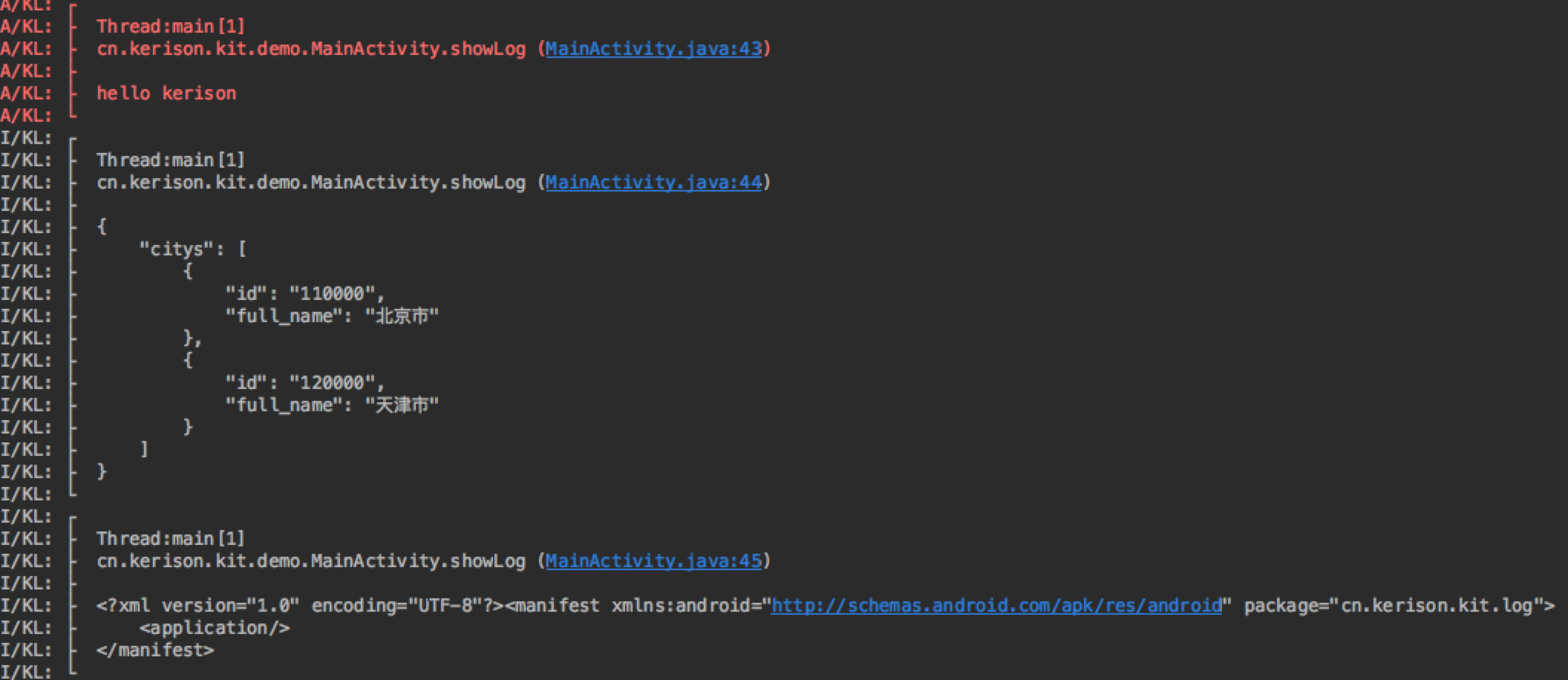
Log ScreenShot
个人使用的时候,建议配合自定义自己喜欢的Console的Log颜色和字体,打印出来的效果更明显。
- Setting > Editor > Colors&Fonts > Android Logcat
- 另存为自己的Scheme
- 修改前景色(去掉Use inherited attributes)
Thanks
Migrate from KLog